Wednesday, January 26, 2011

My Brushes


For this assignment I created three different brushes and then played with the settings of each. I first created a leaf with a stem, and then adjusted the settings so that the opacity and size of the leaf varied as well as the spacing. I then created a leaf without a stem and applied the same settings. After using this brush I decided I would like them to go in varying directions so I changed the angle under the shape dynamics. The third brush I created contains a series of dots. I first created the pencil type setting specified in the tutorial by turning on dual brush. Going back to the original settings I noticed that by varying the opacity of the brush it came in handy when creating freckles. Lastly I added texture to the original brush and used it when creating hair.
Download

Self Portrait


Custom_Brushes 3 & 4

Self Portrait


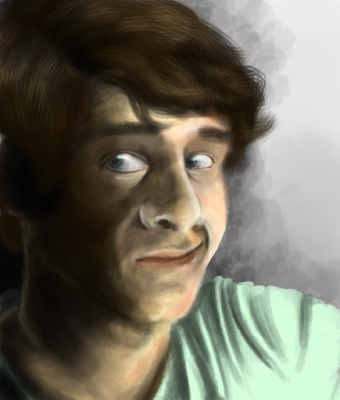
This was my first attempt at a portrait, I used a picture for reference in order to get the proportions between the eyes, nose and mouth correct. I was in a fairly lit in the picture so there is only a little shadowing. I took free handed the hair style using one of the brushes we created in the previous assignment. I was able to get a good blending of colors by putting them on separate layers, and then messing with the opacity. I love how it turned out!

brushes


These are the two brushes i made for the class

selfportrait1

this is my self portrait, i used one of the brushes another person in my group did for the skin and i used my leaf brush for the hair/eyebrows

First Self Portrait

This was my first attempt at making a self portrait inside of photoshop. The room I was in was completely dark except for two computer monitors and a little hallway light coming in from behind. I used the two brushes that I had made along with Catherine's cat fur brush.